Choosing a Public Instance
A practical guide to evaluating public instances for privacy frontends. The real work is weighing privacy, performance, availability, and how much trust you are prepared to place in the operator.
Public instances of privacy frontends are independently operated servers that provide access to privacy-focused services. Picking one is not a matter of finding the longest directory entry and hoping for the best. It means balancing performance, trustworthiness, privacy properties, and availability against your own use case.
How public instance architecture is put together
Public instances work as proxy servers between you and commercial services. Your requests go to the instance first, the instance forwards them to the real service after stripping identifying information, and the response comes back through the same path. That extra hop creates a privacy barrier, which is the whole point.
Each instance is run on its own terms. One may cache content aggressively to cut repeat requests and reduce tracking. Another may prefer fresher data and make more frequent requests to the source service. Some operators run proper machines with plenty of bandwidth. Others are doing their best on modest hardware, and it shows.
The distributed model matters. No single operator sees every request across the ecosystem, and if you move between instances over time, your activity is split across multiple operators. That does not make you invisible, but it does reduce what any one party can collect about your behaviour. Compared with a centralised privacy service, that is a real advantage.
Performance and reliability in practice
Performance affects whether you keep using the thing. A slow or flaky instance is the kind of inconvenience that sends people straight back to direct platform access, which defeats the purpose. If an instance is going to be part of your routine, it needs to behave like one.
Geographic location and network proximity
Where the server sits affects latency and connection speed. Instances closer to you usually respond faster because the data has less distance to travel. Geography is not the only variable - routing can be strange - but it is still a sensible first check.
Test instances from different regions if you can. An instance that feels quick for users in Europe may be sluggish for someone in Asia because of routing, bandwidth, and peering between networks. The path data takes matters more than the dot on the map.
Server resources and capacity
Operators allocate different amounts of processing power, memory, and bandwidth. A well-resourced instance can take more simultaneous users and keep response times steadier. One running close to the edge will often slow down or stop responding when traffic spikes.
You can get a rough read on this by testing at different times of day. If an instance is fine overnight but stumbles during busier periods, it is probably resource-constrained. If it stays steady, that says something useful about how it is being run.
Uptime and availability history
Reliable instances stay up consistently. Check whether an instance has been running for a while without long outages. A new instance is not automatically risky, but established services with a clean uptime record usually point to an operator who knows what they are doing.
Some privacy-focused communities maintain monitoring systems that track availability and performance over time. Those records are useful, but they do not promise the future. Volunteer operators still deal with resource limits, personal circumstances, and the occasional long silence.
Privacy and trust
Privacy frontends protect you technically, but using an instance still requires some trust in the person or group running it. Operators can see requests passing through their servers. Privacy-minded operators may choose not to log that information, but the capability is there, so the trust question is unavoidable.
Operator transparency
Some operators are open about who they are, what organisation they belong to, and why they run the service. That transparency is not a requirement for trustworthiness. Anonymous privacy operators can be legitimate too. It does, however, give you more to work with when making a judgement.
Look for instances run by known privacy organisations, respected community members, or people who clearly state their privacy principles and operational approach. Operators who are upfront about downtime, configuration changes, and policy changes tend to treat the service as something to maintain, not just something to advertise.
Jurisdiction and legal environment
The jurisdiction where an instance is hosted affects retention rules, surveillance powers, and the legal tools available to authorities. Instances in places with stronger privacy protections and narrower surveillance frameworks may be preferable to those in jurisdictions with broader data collection requirements.
Even so, law is not a substitute for technical privacy. Legal protections can change, and operators still have to deal with local compliance pressure. Treat jurisdiction as one factor, not the deciding factor.
Configuration and privacy features
Some instances do more than basic proxying. They may cache aggressively to reduce live requests to commercial services, apply strict content security policies that block external resources, or add fingerprinting protection. The configuration tells you what privacy protections are actually in place.
Browser developer tools are useful here. Check the network activity while using the instance. It should not be loading third-party tracking scripts, reaching advertising networks, or fetching unnecessary external resources. If it is, the privacy story is weaker than the marketing copy suggests.
Network access methods
Privacy frontends are available through different network methods, and each one carries different privacy trade-offs. The right choice depends on how much network-level anonymity you need and how much complexity you are willing to live with.
Standard HTTPS instances
Most instances are available through standard HTTPS, with no special software or configuration. They protect against platform tracking, but they do not hide your frontend usage from network observers. Your internet service provider can see that you are connecting to the instance, even if it cannot see the content you are accessing through it.
HTTPS instances are usually the easiest to use and the quickest to load, which is why they suit general privacy-focused browsing when network-level anonymity is not the goal. They block commercial platform tracking without getting in the way of ordinary web use.
Tor onion services
Instances offered as Tor onion services add network-level anonymity on top of frontend privacy protections. Traffic stays within the Tor network, so your internet service provider does not see your real IP address, and the instance operator does not either. For some use cases, that extra layer matters a great deal.
Tor access means using Tor Browser or a configured Tor client, and it is slower than direct HTTPS. That trade-off is acceptable when network privacy is worth the friction, such as when the content itself is sensitive or when avoiding surveillance is part of your threat model.
Alternative privacy networks
Some instances are available through alternative anonymity networks like I2P (Invisible Internet Project) or Lokinet. They aim for similar privacy properties to Tor, but the designs are different. I2P is fully decentralised with participant-contributed routing, while Lokinet uses blockchain-based incentives for node operation.
These options matter most for people already using those networks, or for people who care about the architectural differences. They usually take more setup than Tor and have smaller user bases, but they add variety to the privacy stack, which can be useful if your threat model is more demanding than average.
A practical way to choose
Do not spend your time hunting for one perfect instance. A better approach is to identify several reliable ones and keep them in rotation. That gives you resilience when one goes down, reduces the amount of information any single operator can collect, and lets you pick the right instance for the job in front of you.
Testing and evaluation process
Start with a few instances that look promising from initial research. Use them for ordinary tasks and pay attention to how they behave. Check loading speed, test whether the features you need actually work, and make sure the instance handles the content you care about without falling apart.
Developer tools are worth opening during testing. Look for clean traffic patterns with no unexpected external connections, tracking scripts, or advertising elements. If an instance pulls in unnecessary resources beyond what it needs to do its stated job, that is a warning sign.
Bookmark and rotate strategy
Once you have a few instances that meet your requirements, bookmark them. Then use them in rotation instead of defaulting to the same one every time. That keeps your usage patterns from being tied to a single operator and makes it easier to keep track of alternatives.
The rotation does not need to be elaborate. You only need enough variety to avoid locking yourself into one service. If one instance disappears or begins to misbehave, you already have backups ready.
Matching instances to use cases
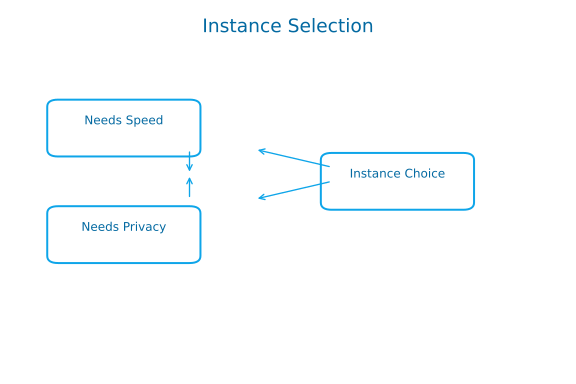
Different instances suit different jobs. A high-performance HTTPS instance may be the sensible choice for day-to-day browsing, while a Tor onion service is better when the material is sensitive. An instance with aggressive caching can work well for content that changes slowly, while one with minimal caching is better when you need fresher information.
The point is to fit the instance to the task instead of forcing every use case through the same setup. That usually produces a better balance between privacy and usability.
Common selection mistakes to avoid
One common error is choosing an instance purely because it is fast. Speed matters, but not at the expense of privacy properties or operator trustworthiness. An extremely fast instance run by an unknown operator with no transparency deserves a closer look, not automatic approval.
Another mistake is assuming that anything listed in a community directory is automatically safe to use. Community vetting helps, but it is not perfect. Operators change practices, instances can be compromised, and a service that looked trustworthy last month might not deserve the same confidence now.
Do not rely on a single instance just because it works today. Volunteer operators can lose time, money, or interest, and services can disappear with little warning. If one instance is carrying all your traffic, the day it goes offline becomes your problem very quickly.
Selection checklist
- Test performance from your actual location and network conditions
- Verify that instances do not load unexpected external resources
- Research operator transparency and operational history
- Consider jurisdiction and legal environment as one evaluation factor
- Bookmark multiple instances and rotate between them
- Match instances to specific use cases based on their characteristics
- Periodically re-evaluate instances and adjust your selections
This page is maintained as a static reference to keep URLs predictable and safe.
Last updated: January 15, 2026